 Skolera LMS Blog Educational Technology Articles and News

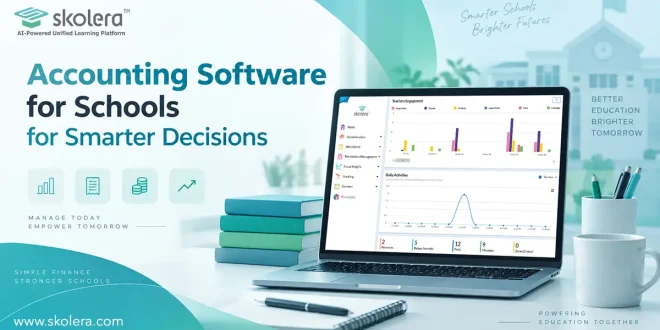
A school’s finance office rarely deals with one simple ledger. Tuition, transport fees, payroll, invoices, and annual budgets all move at once, often across several campuses. Left in scattered spreadsheets, that volume turns small errors into missed payments and frustrated parents. Accounting software for schools exists to catch it all in one accurate, searchable system instead of a dozen disconnected files. The payoff is that leaders can see where money comes from and goes, instead of reacting once something has gone wrong.
Table of Contents
What Is Accounting Software for Schools?
Strip away the marketing language, and accounting software for schools is simply a system purpose-built for how schools actually handle money: tuition cycles, payroll runs, and budgets, all in one place instead of across multiple tools. These key features include:
- Centralized financial data: a bursar answering a parent’s billing question pulls up one number instead of cross-checking three separate files first.
- Automated fee processing: many systems now connect to a payment gateway with school accounting software, so a transfer updates the ledger in minutes, not after manual checks.
- Student data integration: a mid-year grade change adjusts the fee schedule on its own, instead of leaving finance staff to catch it weeks later.
- Instant reporting: a principal preparing for a board meeting pulls a current statement in minutes, not the night before, once spreadsheets finally add up.
Why Is Financial Management Becoming More Complex for Schools?
A single tuition fee used to be the whole story. Now transport, meals, activities, and growing enrollment across new branches make anything short of accounting software for schools hard to keep straight. The main challenges include:
- Diverse fee structures: one family alone might owe tuition, a bus fee, and a lab fee on three different dates, and reconciling that by hand invites mistakes.
- Multi-branch operations: a shortfall at one campus can go unnoticed for weeks if the head office only checks consolidated totals once a term.
- Regulatory and audit demands: an inspector asking for three years of fee records shouldn’t send anyone digging through a filing cabinet.
- Rising parent expectations: a parent who pays for a football club online at midnight expects the same ease from tuition, not a walk to the office.
read .more about: Digital Learning Management System for Modern K-12 Schools
How Can Accounting Software Simplify School Financial Operations?
Day-to-day school finances involve many transactions that need to be recorded, checked, and updated regularly. Accounting software for schools brings these activities into one workflow, helping finance teams reduce manual work and keep financial information organized. Key areas:
Managing School Income and Expenses:
Accounting software records tuition payments, service income, supplier invoices, and other expenses in one place. This gives finance teams a clearer view of money coming in and going out and makes it easier to identify discrepancies.
Tracking Tuition and Other Fees:
Schools can track tuition, transport, meals, activities, and other fees by student or family. Finance staff can quickly see which payments have been received and which are pending.
Managing Budgets and Financial Transactions:
Budgeting tools allow schools to compare planned spending with actual transactions throughout the term. If a department starts spending more than its allocated budget, administrators can identify the variance and take action
Generating Invoices and Receipts:
The system can generate invoices for school fees and issue receipts after payments are recorded. This reduces manual paperwork and gives families a clear record of what they were charged.
Maintaining Accurate Financial Records:
Centralized records make it easier to keep financial information updated across different departments and school branches. Staff can access the same records when reviewing payments, expenses, or account balances.
Preparing Financial Reports:
Accounting software can turn recorded transactions into reports covering income, expenses, outstanding fees, and other financial activity. These reports give school administrators up-to-date information for reviewing performance.
read more about: Cloud Based School Management System for Smarter Schools
How Can Schools Use Financial Reports to Make Better Decisions?
Numbers only help once someone can actually read them. Once accounting software for schools compiles accurate data, financial reports turn raw figures into something a busy principal can act on that same afternoon. Key benefits for schools:
Monitoring Revenue and Expenses:
A dip in transport-fee collections shows up the same week, not three months later in a year-end summary.
Comparing Budgets with Actual Spending:
A school accounting system can flag a department that is 20% over budget in October, long before a year-end audit would.
Identifying Financial Trends:
A slow rise in late payments is easy to miss in one month, but stands out once two terms line up.
Supporting Financial Planning:
A board weighing a new campus can test the numbers against three years of enrollment data instead of a rough guess.
read more about: Student Enrollment Management System for School Growth
How Can Schools Improve Financial Transparency with Digital Accounting?
Parents, boards, and regulators all want proof that school funds are handled responsibly, not just a promise. Accounting software for schools builds that proof automatically, turning every transaction into a record anyone authorized can trace. Financial transparency can be improved through:
- Real-time visibility: a board member checking figures at midnight sees the same numbers the finance team saw that afternoon.
- Clear audit trails: if a figure looks off, a reviewer traces it straight back to the entry and the person who made it, rather than guessing where it came from.
- Standardized statements: comparing this term’s numbers against last year’s takes a glance, not an afternoon spent reformatting two different spreadsheets.
- Fewer fee disputes: a parent questioning a charge gets shown the exact receipt and payment date, and the back-and-forth usually ends there.
read more about: Online Student Attendance Management System for Smarter Schools
What Should Schools Consider When Choosing Accounting Software?
Accounting software for schools should be chosen based on their financial requirements, usability, security, reporting, and integration capabilities. The right system should simplify financial tasks while keeping records accurate and accessible. The following factors can help schools compare suitable solutions:
School-specific accounting functions:
Choose school finance software that supports fees, invoices, payments, expenses, budgets, and refunds to simplify daily financial operations.
Ease of use:
A clear interface helps staff complete routine tasks efficiently and reduces errors without requiring extensive technical training.
Reporting capabilities:
Flexible reports for income, expenses, fees, outstanding balances, and budgets help administrators monitor financial performance.
Integration with student and fee data:
Connecting student records with payment and fee information reduces duplicate entry and improves payment tracking.
Scalability:
The system should support increasing enrollment, transactions, staff, or campuses as the school grows.
Data security:
Schools should consider access controls, permissions, secure storage, and backups to protect sensitive information.
Implementation support:
Training, setup assistance, migration, and technical support can make implementation smoother for staff.
Integration with other school-management modules:
Integration with admissions, student information, attendance, and fee-management systems can connect financial data across school operations.
How Does Skolera Support Financial Management for Schools?
Skolera’s school management system integrates financial management with the same platform schools already use to manage students, staff, and daily operations. As accounting software for schools, it connects fee and invoice data with enrollment and attendance records, helping schools streamline financial processes and maintain organized records. Key financial features include:
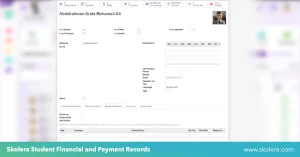
- Unified records: a shared family code links each child’s fee account to the household, so a sibling’s enrollment dose not require re-entering the same billing details.
- Automated billing: fee and invoice records stay synced between the ERP and the learning platform, so a payment logged in one appears on the other too.
- Online payments: families can pay tuition directly through Kashier, the platform’s built-in gateway, so a transfer at 11 p.m. clears that night, not the next morning.
- Real-time dashboards: a finance officer opens one screen for today’s collections, outstanding balances, and recent invoices, instead of piecing that together from separate exports.
FAQ
Can accounting software track tuition fees and payments?
Yes, most platforms log each tuition payment as it lands, send a reminder before a fee falls overdue, and issue a digital receipt automatically, so families and finance teams both know exactly what’s been paid and what’s still outstanding.
How secure is financial data in school accounting software?
A reputable platform protects that data with encryption, role-based access, and regular backups, so only authorized staff ever see sensitive records. Paired with detailed activity logs, that’s a meaningfully higher bar than a shared spreadsheet or a folder of paper files.