 Skolera LMS Blog Educational Technology Articles and News

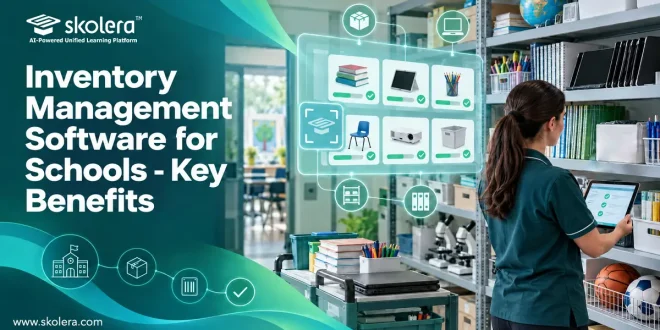
Every school runs on things: markers, laptops, microscopes, footballs, desks. When nobody knows where they are or how many are left, money leaks and teachers lose time hunting for basics. Spreadsheets and paper registers only go so far. That is why more administrators are turning to inventory management software for schools to see stock, assignments, and costs in one place. This guide explains how it works, what it covers, and how to choose the right one. Let’s break it down.
Table of Contents
What Is Inventory Management Software for Schools?
Inventory management software for schools is a digital system that records what a school owns and where it sits. It keeps quantities current and shows how items move. Here are the four core capabilities that keep stock accurate every day:
- Stock monitoring: staff follow inventory levels and the movement of items and materials, so the storeroom picture stays accurate and nobody orders blindly or by guesswork.
- Periodic counts: regular stock counts let staff compare the shelves with the records, which keeps the numbers honest and makes mismatches easy to spot early on.
- Low-stock alerts: automatic notifications appear when quantities fall below limits set in advance, helping the school avoid running out of items and keeping operations moving.
- Suppliers and orders: Staff keep a full record of each supplier, then create and follow each purchase order from the first request through approval to final completion.
How Can Schools Track and Manage Inventory More Efficiently?
Efficiency starts when everyone works from one shared record. Schools that adopt inventory management software for schools usually spend far less time switching between tools and chasing down answers. These simple habits make the biggest difference in everyday school life:
- Instant stock visibility: current quantities are visible to staff in one place, so requests are answered with facts rather than a walk to the storeroom.
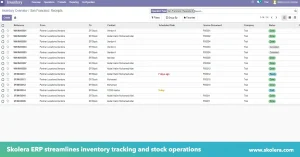
- Clear request path: a purchase order moves from the first request to approval and execution, so staff always know where an order stands right now.
- Role-based access: administrators set permissions per role, so storekeepers, teachers, and managers each see and do only what their job needs, which also keeps records tidy.
- Fewer tools to juggle: staff stop switching between platforms that scatter data and waste time, and instead handle stock, orders, and records together.
read more about: Accounting Software for Schools for Smarter Decisions
What Types of Inventory Do Schools Need to Manage?
A school’s inventory is far wider than most people expect, and each category needs its own handling. A box of chalk and a laptop cart follow very different rules, so inventory management software for schools sorts items into these groups:
Stationery and consumable supplies:
Pens and paper run out fast, so set reorder levels with alerts before shelves empty.
IT devices and equipment:
Laptops and projectors carry warranties, so record serial numbers and assign a named user.
Laboratory and classroom equipment:
Microscopes and glassware are costly or fragile, so schedule regular condition checks.
Sports equipment:
Balls and nets scatter across fields, so use sign-out records.
Furniture:
Desks rarely move, but room-by-room counts guide repairs and replacements.
Uniforms:
Track sizes and quantities, especially before each new term.
Other school supplies:
Library extras, art materials, and event items also belong in the register.
read more baout: Digital Learning Management System for Modern K-12 Schools
How Can Schools Reduce Waste and Unnecessary Spending?
Waste rarely comes from one big mistake. It builds up through duplicate orders, overstocking, and forgotten items. With inventory management software for schools, leaders can see what already exists before approving anything new. Four areas usually show real savings first:
- Approval before buying: purchase orders move through request and approval, so duplicate or unnecessary orders get questioned early, before any money leaves the school budget.
- Department budgets: budgets can be created and tracked for each department, which supports financial stability and the best use of available resources.
- Expense tracking: school inventory management also benefits from expense tracking that follows operating costs through to purchases, which strengthens financial control and helps leaders reduce spending.
- Alerts and counts: low-stock alerts prevent last-minute rush orders, while periodic counts reveal missing or surplus items early, long before they turn into expensive yearly surprises.
read more about: Cloud Based School Management System for Smarter Schools
How Can Schools Improve Accountability for Inventory and Equipment?
When equipment disappears, the real problem is that nobody can say who last had it. Inventory management software for schools answers that question quickly, and an inventory management system makes responsibility visible. Accountability grows through these four practical, everyday features:
- Activity history: the inventory management software records every important action automatically, along with the date, time, and identity of the user who performed it, creating a trail.
- Suspicious activity checks: logs help administrators notice unusual activity and unauthorized access attempts, so threats are caught and handled quickly instead of being discovered months later.
- Data integrity: system logs help confirm that records stay consistent across the platform, and every change is documented, so it can be traced.
- Periodic audits: regular stock counts compare physical items with system records, so mismatches surface early and principals can trust what the reports say about stock.
What Should Schools Consider When Choosing Inventory Management Software?
Not every platform suits every campus. Before you commit to inventory management software for schools, test it against real routines. A school inventory system should feel easy for storekeepers and teachers alike. Check these points carefully before making any decision:
- Integration: check whether inventory connects with finance, purchasing, and student records, because a unified platform keeps information consistent and avoids tedious double entry across departments.
- Training and onboarding: look for role-specific training for administrators, teachers, and support teams, plus help migrating existing data, so staff feel confident from the start.
- Support: ask about response times and contact channels, such as a portal, email, phone, live chat, or WhatsApp, because help matters most during audits and launch.
- Reporting: confirm that reports can be exported as PDF or Excel, so stock and purchase summaries are easy to share with the leadership and finance team.
How Does Skolera Support School Inventory Management?
Skolera brings inventory and purchasing into its ERP, allowing schools to manage stock within the same platform they use for fees and student records. As a comprehensive school management system, Skolera integrates inventory management software for schools into daily operations, helping administrators streamline purchasing, track supplies, and manage resources more efficiently. Here is what it offers:
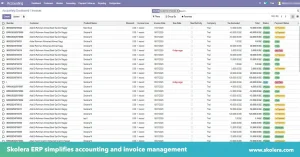
- Stock and counts: staff follow inventory levels, run periodic counts, and monitor how items and materials move, giving administrators a view of what the school holds.
- Alerts and suppliers: automatic low-stock notifications trigger at limits you define, while supplier records and purchase orders are managed from the request through approval and execution.
- Logs and reporting: every action is logged with date, time, and user, and reports can be exported to PDF or Excel for audits and budget discussions.
- Training and support: Skolera offers training, data migration, a dedicated customer success manager, and 24/7 support through a portal, email, phone, and WhatsApp.
FAQ
Can schools track inventory across multiple locations or campuses?
Yes, a unified platform keeps data consistent across departments, and Skolera’s ERP already supports branches. Because every school’s setup differs, confirm the exact inventory arrangement across campuses with the vendor before you commit.
Can inventory software support private and K–12 schools?
Yes, whether a school is a small private institution or a larger K–12 setup, the core need is the same: knowing what you own, where it is, and who is responsible. Skolera is built around school operations, with administrators, teachers, students, and parents on one system.