 Skolera LMS Blog Educational Technology Articles and News

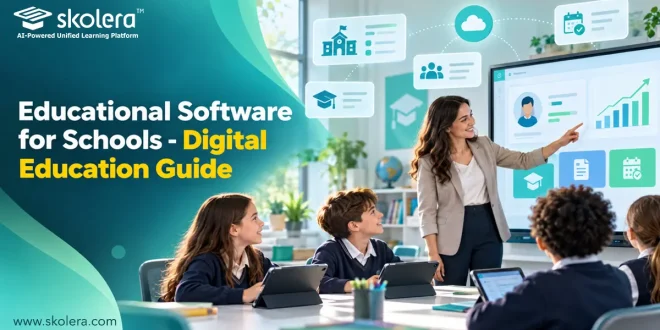
Every school day produces a mountain of data, from attendance sheets and quiz scores to fee invoices and parent messages. When these live in separate tools, teachers lose hours and leaders lose clarity. Modern educational software for schools solves this by bringing learning, administration, and communication into one connected environment. This guide explains what such platforms are, why schools are adopting them, which types matter, how they support teachers and students, how to choose wisely, and why Skolera stands out.
Table of Contents
What Is Educational Software for Schools?
Educational software for schools is a digital system that manages teaching, learning, and school operations in one place. It replaces scattered spreadsheets and paper routines with connected records. A strong platform covers these four connected areas of daily school life:
- Learning management: lesson content, weekly plans, assignments, quizzes, and a gradebook that helps teachers deliver lessons and record results without juggling separate tools or paper files.
- Student information: enrollment, family links, subject assignments, attendance, and behavior records, all kept accurate in a single profile so every department sees the same picture of each student.
- Administration and finance: fee invoicing, online payments, student transfers, and bulk imports that cut manual data entry and keep the school office running smoothly all year.
- Communication and reporting: parent messages, announcements, and exportable reports covering progress, absences, and results, giving leaders and families clear information whenever decisions need to be made.
Why Are Schools Investing in Educational Software?
The case for educational software for schools is practical: manual processes no longer scale. Parents now expect timely information, and leaders expect accurate records. Digital platforms deliver measurable gains in time, transparency, and trust, particularly in these four key areas:
- Time savings: bulk imports, automatic subject assignment for new students, and easy transfers between sections or branches remove repetitive daily administrative work from busy school staff.
- Financial clarity: online fee payments and synchronized invoices between the ERP and learning platform reduce errors, speed up collection, and make paying simpler for busy families.
- Academic insight: gradebooks, attendance records, and progress reports reveal which students need support early, helping teachers and counselors act before small gaps become serious learning problems.
- Security and stability: a faster, more stable, and more secure platform protects sensitive student records and gives staff and families a dependable daily experience all year.
read more about: School Management Software Offline – A Complete Guide
What Types of Educational Software Do Schools Need?
Most schools need educational software for schools in layers rather than as a single tool. Learning, student records, finance, and communication each require dedicated capabilities, yet they must always share data. Consider these four essential categories of modern school software:
- Learning management systems: tools for content, assignments, quizzes, and gradebooks, plus an AI question bank that helps teachers generate questions linked to course content within seconds.
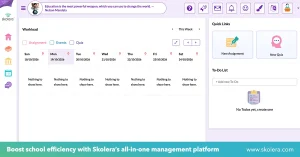
- Student information systems: educational software that stores profiles, attendance, behavior notes, and family links, ensuring that every record stays consistent across classes, branches, and administrative departments.
- School ERP modules: fee management, invoicing, online payments, and subject enrollment workflows that connect finance with academics, so billing always reflects each student’s current registration.
- Communication and reporting: messages, announcements, weekly plans, and Excel-ready reports, including progress breakdowns and three-day absence alerts, that keep families well informed and help teachers stay up to date.
read more about: Inventory Management Software for Schools – Key Benefits
How Does Educational Software Support Teachers and Students?
Well-designed educational software for schools reduces workload for teachers while giving students clearer direction. Teachers spend less time on paperwork and more on instruction, and learners always know what is due. Here is how that support appears:
- Faster grading: objective quizzes are marked automatically, and the gradebook flags scores above the maximum, saving teachers long evenings once spent on repetitive marking and double-checking.
- Organized planning: weekly plans, lesson content, and assignments sit in one place, so teachers can prepare easily and substitutes can understand what each class should cover.
- Student engagement: educational software for students gives them one place to see assignments, deadlines, and results, helping them organize their workload and take ownership of their progress.
- Family connection: private messaging, announcements, and an enhanced parent interface launching this October help families stay informed about attendance, behavior, and progress between scheduled meetings.
read more about: Accounting Software for Schools for Smarter Decisions
What Should Schools Consider When Choosing Educational Software?
Choosing educational software for schools is a long-term decision, so evaluate more than features. Look at how well the platform fits your workflows, how easily it grows, and how reliably the vendor provides support and updates. Prioritize these four practical school-focused criteria:
- Integration: choose a platform that connects learning, student records, and finance, with automatic syncing of invoices and enrollment, so staff never retype information between disconnected systems.
- Ease of use: look for role-based interfaces, intuitive navigation, and multilingual support, such as Arabic, English, and French, so teachers, students, and parents adopt it quickly.
- Support and training: confirm onboarding, data migration, staff training, and responsive help through channels like WhatsApp or live chat, because software fails without guidance.
- Roadmap and security: ask how often the platform improves, whether it protects exams and sensitive records, and whether the vendor keeps investing in AI tools.
read more about: Digital Learning Management System for Modern K-12 Schools
Why Choose Skolera as Educational Software for Schools?
Skolera answers this need as an all-in-one educational software for schools and an integrated school management system, combining LMS, student information, and ERP capabilities in one platform. Designed around user roles and supported by year-round customer care, Skolera continuously evolves to meet the changing needs of modern schools. Its standout strengths include:
- Unified platform: learning, content, student information, and ERP work together, with an Odoo 17 upgrade that adds bulk imports, family-code linking, and faster, more stable performance.
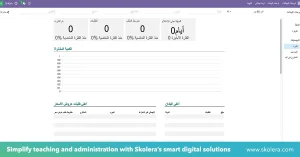
- Practical features: weekly plans, a gradebook, attendance and behavior tracking, school-requested reports with Excel export, and online fee payments through Kashier address daily school needs.
- AI and innovation: the 2026 roadmap adds an AI question bank, AI content generation, a lockdown browser, and a student portfolio, helping schools stay ahead.
- Dedicated support: Skolera provides continuous customer support all year, with training, data migration, and guidance, so schools can focus on educating students rather than technology.
FAQ
What problems can educational software solve in schools?
It removes scattered data, repetitive administration, and slow communication. Bulk imports, automatic subject assignment, and easy transfers reduce manual entry, while synchronized fees and invoices cut billing errors. Automatic quiz marking and reports on absences or progress help teachers and leaders act sooner, because everyone works from the same information.
How does school software help monitor student progress?
Gradebooks combine assignment and quiz results into one record, flag impossible scores, and export to Excel. Attendance and behavior records add context, while school-requested reports show progress breakdowns and trigger three-day absence alerts. Parents can follow along through messages and the enhanced parent interface.
Is educational software suitable for small schools?
Yes, provided it is easy to adopt and able to grow. Small schools benefit from fewer tools, simple role-based interfaces, bulk imports, and guided onboarding, since they rarely have large IT teams. Choose a platform that lets you start with core modules and expand later, backed by responsive support.