 Skolera LMS Blog Educational Technology Articles and News

Many schools operate with unreliable internet, shared computers, and tight budgets, so school management software offline sounds like a practical shortcut. It promises daily records without depending on a connection. But the real question is what you gain and what you quietly give up. This guide walks through how offline tools work, where they help, where they struggle, and how to choose the setup that fits your campus. Written for principals and administrators, it stays practical and skips the jargon.
Table of Contents
What Is School Management Software Offline?
School management software offline is a system installed on local computers or a server, so staff can record attendance, grades, and fees without an internet connection. It works like a digital filing cabinet inside the building. Here is what it includes:
- Local database: Student profiles, class lists, and contact details are stored on a computer or server inside the school, not on a remote data center somewhere else.
- Core modules: A typical school management system bundles admissions, timetables, attendance, gradebooks, and report cards into one program that staff can access directly from their desktops.
- Local network access: Teachers and office staff connect over the school’s internal network, so the software keeps running even when the internet provider goes down completely.
- One-time setup: Many products charge a license fee upfront, so schools avoid monthly subscriptions, though they still need to budget for hardware, maintenance, and occasional outside technical help.
Why Do Some Schools Consider Offline Management Software?
Schools consider school management software offline mainly for control and long-term continuity. When connectivity is patchy or budgets are strict, running everything locally feels safer and cheaper. The strongest motivations behind that choice tend to fall into four groups:
- Unstable internet: Rural campuses and crowded city districts often face slow or dropped connections, and local software removes that weak link from attendance and grading routines.
- Data ownership: Leaders who prefer student records on campus feel more comfortable when school administration controls the server, the backups, and exactly who has access to the data .
- Predictable costs: A one-time license can look attractive to small private schools that simply cannot commit to yearly subscription fees or hosting bills that fluctuate with currency exchange rates.
- Familiar workflows: Office teams used to desktop programs adapt quickly because little changes except the screen, so training stays short and easy for staff.
read more about: Inventory Management Software for Schools – Key Benefits
How Does Offline School Management Software Work?
School management software offline runs on a simple logic: data is entered, stored, and processed on machines inside the school. Nothing travels outside the building unless someone deliberately exports it. The workflow usually follows four connected layers, step by step:
- Input layer: Teachers and clerks enter attendance, marks, and fee payments into forms on school computers, and each entry is validated immediately before it is saved.
- Storage layer: A local database, usually on one dedicated machine, holds every record, and the other computers read from it across the internal network.
- Processing layer: Built-in logic calculates grade averages, flags absence patterns, and sorts invoices, so a school ERP software package feels like one connected tool, not a collection of separate l files.
- Output layer: Reports, report cards, and timetables print locally, while exports to Excel or PDF let staff share files quickly through USB drives or email.
read more about: Accounting Software for Schools for Smarter Decisions
What School Activities Can Be Managed Offline?
Most daily routines can run without the internet, which is why school management software offline stays popular with busy front offices. Anything that happens inside the building and relies on stored records is usually a good candidate. Common everyday examples:
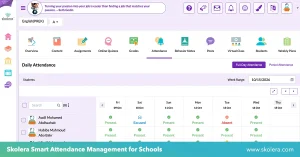
- Attendance and timetables: Teachers mark attendance in seconds, and office staff adjust schedules to accommodate substitutions without waiting for pages to load or connections to fully recover.
- Grades and report cards: Marks are entered per subject, averages are calculate automatically, and school management software can print finished report cards for hundreds of students overnight.
- Fees and receipts: The accounts office records payments, issues receipts, and tracks unpaid balances per family and term, keeping cash handling transparent even without internet access.
- Student records and behavior notes: Profiles, medical notes, disciplinary entries, and parent contacts stay searchable, so the front desk can answer questions during pickup or enrollment.
read more about: Digital Learning Management System for Modern K-12 Schools
How Does Offline Software Handle Data Synchronization?
Strictly offline systems never sync, yet many school management software offline products add an optional synchronization routine for moments when a connection appears. Knowing exactly how it behaves prevents duplicate records and the loss of important updates. The key mechanics here are:
- Local first: Every change is saved on the school machine instantly, so staff never wait around, while the system quietly queues updates for a later secure transfer.
- Scheduled merging: When a connection or secondary server becomes available, the software compares timestamps and merges records, which works best when one branch edits each record at a time.
- Conflict handling: If two staff members edit the same student record on different machines, the system either keeps the latest change or asks an administrator to decide.
- Manual transfers: Without a sync option, staff export data files and import them elsewhere, a slower method that demands naming rules and careful version control.
read more about: Cloud Based School Management System for Smarter Schools
What Are the Limitations of Offline School Management Software?
School management software offline solves connectivity problems but creates new responsibilities. The weaknesses rarely show up on demo day; they appear months later, when a server fails or a parent asks for a report from home. The main limitations include the following:
- Remote access gaps: Parents cannot check grades from home, and teachers working off campus cannot update attendance, because everything is stored on a local machine or server.
- Hardware risk: A failed disk, power surge, or stolen computer can wipe out years of records unless backups are tested often and stored off-site.
- Manual updates: Fixes, new features, and security patches arrive as installers someone must run on each computer, so older versions linger and bugs stay unresolved.
- Limited analytics: Multi-campus comparisons, live dashboards, and parent notifications are hard to deliver offline, so leaders depend on manual spreadsheets to see the bigger picture.
read more about: Student Enrollment Management System for School Growth
When Should a School Choose Offline or Cloud-Based Software?
The right answer depends on your infrastructure, not on trends. When weighing school management software offline against cloud platforms, compare connectivity, staff skills, and growth plans honestly. A short checklist makes the final choice much clearer, starting with these factors:
- Choose offline when: Internet is unreliable, enrollment is small and stable, one building handles everything, and a trained staff member can confidently manage backups and updates.
- Choose cloud when: Several campuses share data, parents expect online access, and leaders want real-time reports, backups, and updates delivered without installing software on every computer.
- Consider a hybrid: Some schools keep daily operations local and sync selected data to a secure online service, gaining resilience during outages.
- Plan for growth: A system that fits 300 students today may struggle at 1,200; ask vendors how storage, user limits, and cloud migration would work.
How Does Skolera Support Reliable School Management?
Schools that want reliability without local servers often look at Skolera, a cloud-based school management system that combines learning management, student records, and ERP capabilities. Compared with school management software offline, Skolera eliminates the need to maintain local servers while providing continuous support, integrated school management tools, and streamlined administrative workflows. Key strengths for schools include:
- Always-on support: Skolera offers 24/7 help through a dedicated support portal, email, live chat, and WhatsApp, answering critical issues within one hour and targeting four-hour fixes.
- Upgraded ERP core: The move from Odoo 14 to 17 delivers a faster, more stable, and more secure platform, plus bulk imports and automatic family linking.
- Connected finances: Online fee payments through Kashier and fee and invoice synchronization between the ERP and learning platform reduce manual reconciliation and the need for offline processing.
- Visibility and growth: Reports export to Excel or PDF, activity logs support audits, and the platform keeps adding new tools like an AI question bank.
FAQ
Can offline school software store student information securely?
Yes, but security depends on how the school manages it. Local storage keeps records inside the building, yet you still need strong passwords, role-based permissions, encrypted backups, and a physically protected server. Without those security measures, a stolen computer or careless user can expose sensitive student data.
Does offline school software automatically back up school data?
Some products schedule automatic backups, but many only back up when someone triggers a backup manually. Confirm that backups run on a schedule, are copied to external or off-site storage, and can be restored successfully through regular testing. A backup you have never tested is only a hope.