 Skolera LMS Blog Educational Technology Articles and News

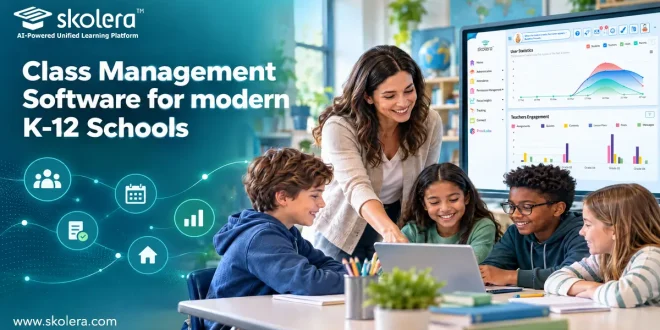
Every school day depends on small daily details running smoothly: who is present, which homework is due, how a student is performing, and what parents need to know. When these details live in separate places, teachers lose time and students lose clarity. Class management software brings them together in one organized system. This article explains what it does, why schools need it, which features matter, and how Skolera delivers it, so your whole school team can choose with confidence.
Table of Contents
What Is Class Management Software?
Class management software is a digital platform that helps schools organize teaching, tracking, and communication in one central place. Instead of juggling paper registers and scattered spreadsheets, educators work from a single dashboard. Its core components usually include the following:
- Attendance tracking: Teachers record attendance in seconds, and the system flags repeated absences so administrators can step in before small gaps quietly become real academic problems.
- Assignments and quizzes: Educators create, distribute, and collect homework digitally, while students see deadlines clearly and submit work from any device without chasing lost paper copies.
- Gradebook and reports: Scores update instantly, weighted totals calculate themselves, and report cards are generated in a few clicks, ending hours of repetitive manual work every single term.
- Parent communication: Announcements, messages, and progress updates reach families through one channel, so teachers stop repeating the same information across several different apps and messaging groups.
Why Do Schools Need Class Management Software?
Schools handle hundreds of students, dozens of teachers, and thousands of daily interactions. Without a shared system, information gets lost and effort gets duplicated. Class management software removes that friction. The main benefits for schools are outlined below:
- Time savings: Automating registers, grading, and reporting frees teachers to plan lessons and support individual students instead of spending their valuable hours on repetitive administrative paperwork.
- Data accuracy: One central record replaces conflicting spreadsheets, so leaders base decisions on current, reliable numbers rather than outdated copies still circulating between busy departments.
- Student accountability: Clear deadlines, visible grades, and instant feedback help learners take ownership of their progress, building habits of responsibility that last well beyond the classroom.
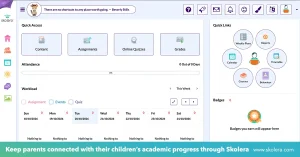
- Family engagement: Parents who can see attendance and results in real time ask better questions, support learning at home, and develop greater trust in the school.
read more about: Educational Software for Schools – Digital Education Guide
How Does Class Management Software Simplify Daily Class Management?
Teachers make hundreds of small decisions before lunch, and each administrative task steals attention from teaching. Class management software absorbs the routine work so the day runs more smoothly from the first bell. Here is where the difference shows most clearly:
- Faster attendance: A quick tap per student replaces roll calls, giving back the first few minutes of every lesson so teaching starts on time.
- Weekly planning: Teachers build lesson schedules from ready-made templates, which keeps lessons consistent across all sections and saves valuable planning time.
- Smoother scheduling: Timetables, room changes, and substitute coverage appear instantly on every device, which helps reduce confusion and keeps class management running even when plans change.
- Quicker communication: one announcement reaches students and parents together, and replies stay organized in a single thread, cutting the endless back-and-forth that fills a busy teacher’s inbox.
read more about: School Management Software Offline – A Complete Guide
How Can Class Management Software Help Teachers Monitor Student Progress?
Progress rarely announces itself. A struggling student can fade quietly for weeks while everyone around them assumes things are fine. Class management software makes performance visible by turning scattered scores into clear patterns. It achieves this through several practical tools:
- Live dashboards: Grades, attendance, and participation appear side by side, letting teachers spot a small dip in one area before it spreads into other aspects of performance.
- Individual profiles: Every student has a record showing strengths, areas for improvement, and past results, which helps teachers tailor feedback instead of relying on memory alone.
- Automated alerts: Teachers learn when scores drop, assignments go missing, or absences pile up, so support arrives early rather than long after report cards are issued.
- Exportable reports: Progress summaries move to Excel or PDF in seconds, making parent conferences more productive and supporting evidence-based conversations with leadership.
read more about: Inventory Management Software for Schools – Key Benefits
What Features Should Schools Look for in Class Management Software?
Not every platform deserves a place in your school. Flashy interfaces mean very little if teachers abandon them after a month. When evaluating class management software, focus on usability, flexibility, and support. Look carefully for these essential features before committing:
- Intuitive design: A clean interface with simple navigation lets teachers and parents begin using it immediately, without long training sessions.
- Integration and scalability: A class management system connects with existing tools, handles growing enrollment, and adapts as your school adds grades, branches, or new curriculum requirements.
- Data security: encrypted storage, role-based access, and regular backups protect sensitive student and family information, so only authorized staff and families can access the information relevant to them.
- Mobile access and support: phone and tablet apps keep everyone connected anywhere, while responsive customer service solves technical problems quickly so lessons never stall unexpectedly.
read more about: Accounting Software for Schools for Smarter Decisions
How Does Skolera Simplify Class Management for K-12 Schools?
Skolera is an all-in-one education platform and school management system built for K-12 schools. As a comprehensive class management software solution, it brings teachers, students, and parents together with the school’s ERP in one integrated environment, replacing fragmented tools and disconnected workspaces. By combining classroom management with essential school operations, Skolera helps schools streamline daily activities and improve coordination across their teams. Its main strengths include:
- Weekly plans and gradebook: enhanced weekly plans organize lessons, while recent gradebook performance improvements make grading faster, even during busy exam periods and report card season.
- School-requested reports: progress breakdowns, three-day absence alerts, and a messages report arrive ready to use, with Excel export available for school leadership reviews.
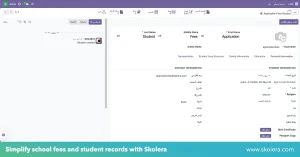
- ERP and fees: the upgraded Odoo 17 platform adds online fee payments through Kashier, family-code student linking, bulk imports, and easy transfers between sections.
- AI and exam tools: an AI question bank and a lockdown browser for quizzes are rolling out, helping teachers create assessments more efficiently.
FAQ
Can class management software be used for different grade levels?
Yes, flexible platforms support everything from kindergarten routines to high school credit tracking. Teachers configure grading scales, schedules, and content by grade level, so younger students get simple, guided experiences while older students manage deeper coursework and independent deadlines.
Does class management software support student grouping?
Yes, teachers can organize students into groups by ability, project, or interest, assign tailored tasks to each group, and track progress separately. This makes differentiated instruction and collaborative learning far easier to run and monitor.
Does class management software help teachers manage large classes?
Yes, automating attendance, grading, and messaging reduces the workload that grows with every additional student. Bulk actions, filters, and dashboards let teachers see who needs attention quickly, even when the room is crowded.